
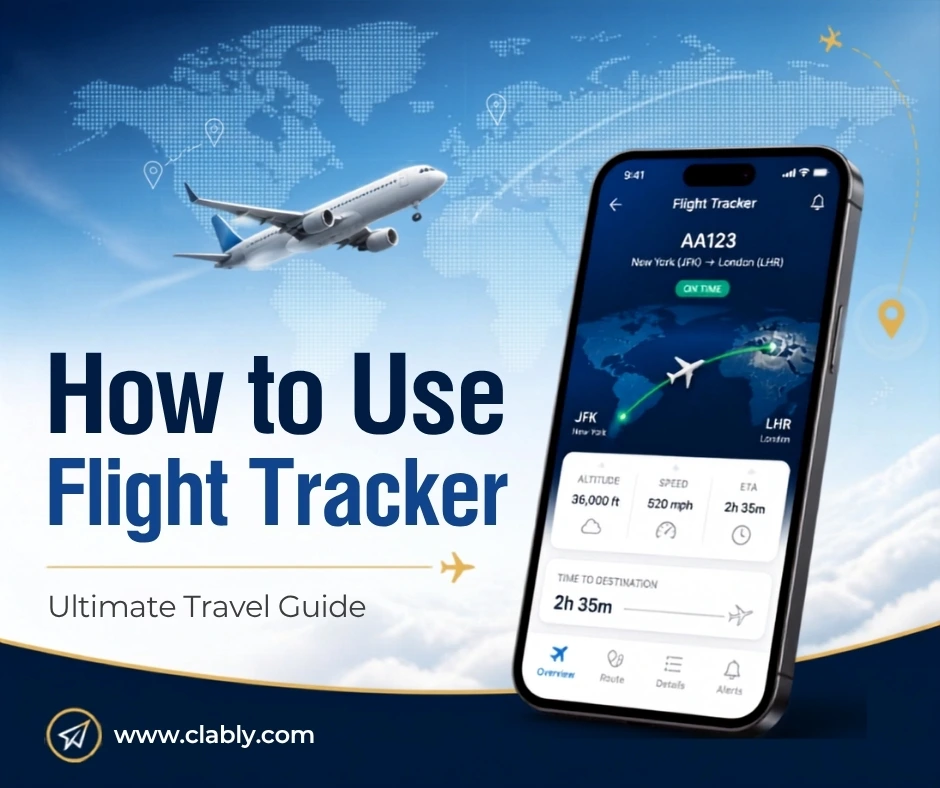
I used to sit at airport gates with zero clue why my flight was delayed. That changed the day I learned how to use flight tracker tools the right way. Now I know exactly where my plane is, why it’s late, and when I actually need to worry.
If you travel more than a couple times a year, a flight tracker isn’t a nice-to-have. It’s the difference between calmly sipping coffee and sprinting through a terminal. This guide walks you through everything I’ve learned after years of chasing connections, tracking layovers, and helping friends avoid missed flights.
Why Every Traveler Needs to Know How to Use Flight Tracker Tools
Air travel in the U.S. has almost fully rebounded, with demand sitting near 104% of pre-pandemic levels according to recent industry benchmarking. More flights means more congestion, more weather delays, and more chances your plane gets stuck on the tarmac in Chicago while you’re waiting in Dallas.
That’s the core problem most travelers face. You book a flight, then you’re left in the dark. Airlines send a text here and there, but those alerts often lag behind reality. A flight tracker fixes that gap by pulling live data straight from the aircraft itself, not from an airline’s customer service queue.
Here’s the thing most people don’t realize. On-time performance varies wildly by carrier. Some airlines hover in the 73 to 79 percent range for on-time arrivals, while a few regional carriers dip as low as 65.7 percent. When you’re flying a carrier with a shakier track record, knowing how to use flight tracker apps becomes even more valuable.
What a Flight Tracker Actually Does
A flight tracker pulls data from ADS-B, or Automatic Dependent Surveillance-Broadcast, a system that reports an aircraft’s position, altitude, and speed in real time. This is the same technology that powers Flightradar24, one of the most recognized names in the space.
The numbers behind this are honestly wild. Flightradar24 tracks information on more than 1.2 million aircraft, 300,000 flights, 8,000 airports, and 2,000 airlines, all updated live. That data comes from a global web of more than 50,000 active ground receivers shared by everyday aviation enthusiasts, not just government agencies.
So when you open a flight radar app on your phone, you’re tapping into a genuinely massive real-time network. That’s a lot more reliable than refreshing an airline’s app and hoping for an update.
Step by Step: How to Use Flight Tracker Apps the Right Way
I’ll break this down the way I’d explain it to a friend heading to the airport for the first time in a while.
Step 1: Pick the Right Flight Tracker App
Flightradar24 and FlightAware are the two biggest names, and both work well. I lean toward Flightradar24 for its clean interface and long history, dating back to its launch in 2006. Some people search “fly radar” or “flight radar” when looking for these tools, so don’t worry if you’ve seen it called by a slightly different name.
Step 2: Enter Your Flight Number, Not Just the Route
Most people type in a departure and arrival city and get confused by dozens of results. Instead, use the actual flight number from your boarding pass or confirmation email. It pulls up the exact aircraft instantly.
Step 3: Check the Live Map Before You Leave for the Airport
This is the step that saves the most time. Open the app an hour or two before departure and watch where the incoming aircraft is coming from. If that plane hasn’t taken off yet from its previous city, you already have a heads up.
Step 4: Turn On Push Notifications
Every major flight tracker lets you set alerts for gate changes, delays, and boarding. Turn these on. I’ve caught gate changes minutes before an announcement thanks to this feature alone.
Step 5: Use the Historical and Weather Layers
Advanced flight tracker apps show weather overlays and airport disruption data. If you see storms building over a hub airport, you can mentally prepare for a delay before it’s official.
Common Mistakes Travelers Make With Flight Trackers
I’ve made most of these mistakes myself, so consider this a shortcut past my learning curve.
- Relying only on the airline’s own app, which often updates slower than independent trackers
- Forgetting to check the inbound aircraft’s status, not just your own flight’s listed time
- Ignoring weather layers, then getting blindsided by a storm system
- Not saving frequent routes or favorite airports for quick access
- Assuming a flight tracker replaces checking in with the airline directly for rebooking
Flight Tracker Apps Compared
Here’s a quick side-by-side look at the tools worth considering.
| Flight Tracker | Best For | Live ADS-B Data | Free Tier | Weather Overlay |
| Flightradar24 | Casual and frequent travelers | Yes | Yes, with limits | Yes |
| FlightAware | Business travelers and aviation pros | Yes | Yes, with limits | Yes |
| Airline’s own app | Basic status checks | No, delayed data | Yes | Rarely |
| Google Flight Status | Quick searches | Partial | Yes | No |
Pro Tips From Years of Frequent Travel
After years of chasing flights across the country, a few habits have made a real difference.
First, I always check my flight tracker the night before a trip, not just the morning of. This gives me a sense of whether the aircraft has a history of running late that week.
Second, if I’m booking with a budget carrier, I track the plane’s prior three legs. Budget airlines with tight turnaround schedules tend to see delays cascade throughout the day. If you’re weighing which carrier to book, it’s worth reading our guide on the best budget airlines in USA before you commit to a ticket.
Third, I keep a flight tracker app open during long layovers so I’m not glued to an airport monitor. This alone has saved me from missing a gate change twice this year.
How Flight Trackers Fit Into Smarter Travel Planning
Whether you’re chasing a luxury travel upgrade or hunting for the cheapest budget fare, understanding real-time flight data changes how you plan. Luxury travelers use flight trackers to time airport arrivals around private lounge access and minimize wait times. Budget travelers use them to avoid the stress of tight connections on no-frills carriers.
If you’re building out a broader travel strategy, it helps to pair flight tracking knowledge with a solid understanding of airline reliability. Our internal guide on choosing the right airline for your trip breaks down which carriers perform best for on-time arrivals.
Tools and Platforms Worth Bookmarking
Beyond the big two, a few other platforms round out a solid flight tracking toolkit. Google’s built-in flight status search works well for a quick glance, especially when you’re already checking a route online. Airport websites themselves often publish real-time departure boards, which can confirm what your app is showing.
For frequent flyers, FlightAware’s premium tier adds predictive delay alerts based on historical patterns at specific airports. This matters most during peak summer travel or winter storm season, when cascading delays hit hub airports hardest. I’ve found this feature particularly useful when connecting through weather-prone hubs like Chicago O’Hare or Denver.
Travel agencies and corporate travel managers also rely on enterprise-grade tracking dashboards to monitor entire itineraries for clients. If you manage travel for a family or a small team, it’s worth exploring whether your preferred flight tracker offers a shared itinerary feature, since this saves you from checking multiple flights individually.
The Real Value of Learning How to Use Flight Tracker Tools
At the end of the day, a flight tracker turns uncertainty into information. You stop guessing and start planning. Whether you’re headed on a quick domestic hop or an international luxury trip, having eyes on your aircraft the moment you wake up on travel day changes the entire experience.
I don’t board a flight anymore without checking the tracker first. It’s become as routine as checking the weather, and it’s saved me more stress than almost any other travel habit I’ve picked up.
Frequently Asked Questions
Is Flightradar24 free to use?
Yes, Flightradar24 offers a free tier with live flight tracking and basic features. Paid subscriptions unlock extended history and ad-free access.
How accurate is a flight tracker’s delay information?
Flight trackers pull live ADS-B data directly from the aircraft, making them more accurate and faster than most airline apps. Delays typically show up in real time rather than after airline confirmation.
Can I track a flight without downloading an app?
Yes, most flight tracker websites work fully in a mobile or desktop browser. You only need an app if you want push notifications for delays and gate changes.
Why do some flights show as “scheduled” with no live data yet?
Live tracking only begins once the aircraft’s transponder starts broadcasting, usually shortly before departure. Until then, the flight tracker shows scheduled times pulled from the airline’s own system.







6 Responses